Easily find the right files with Pimento
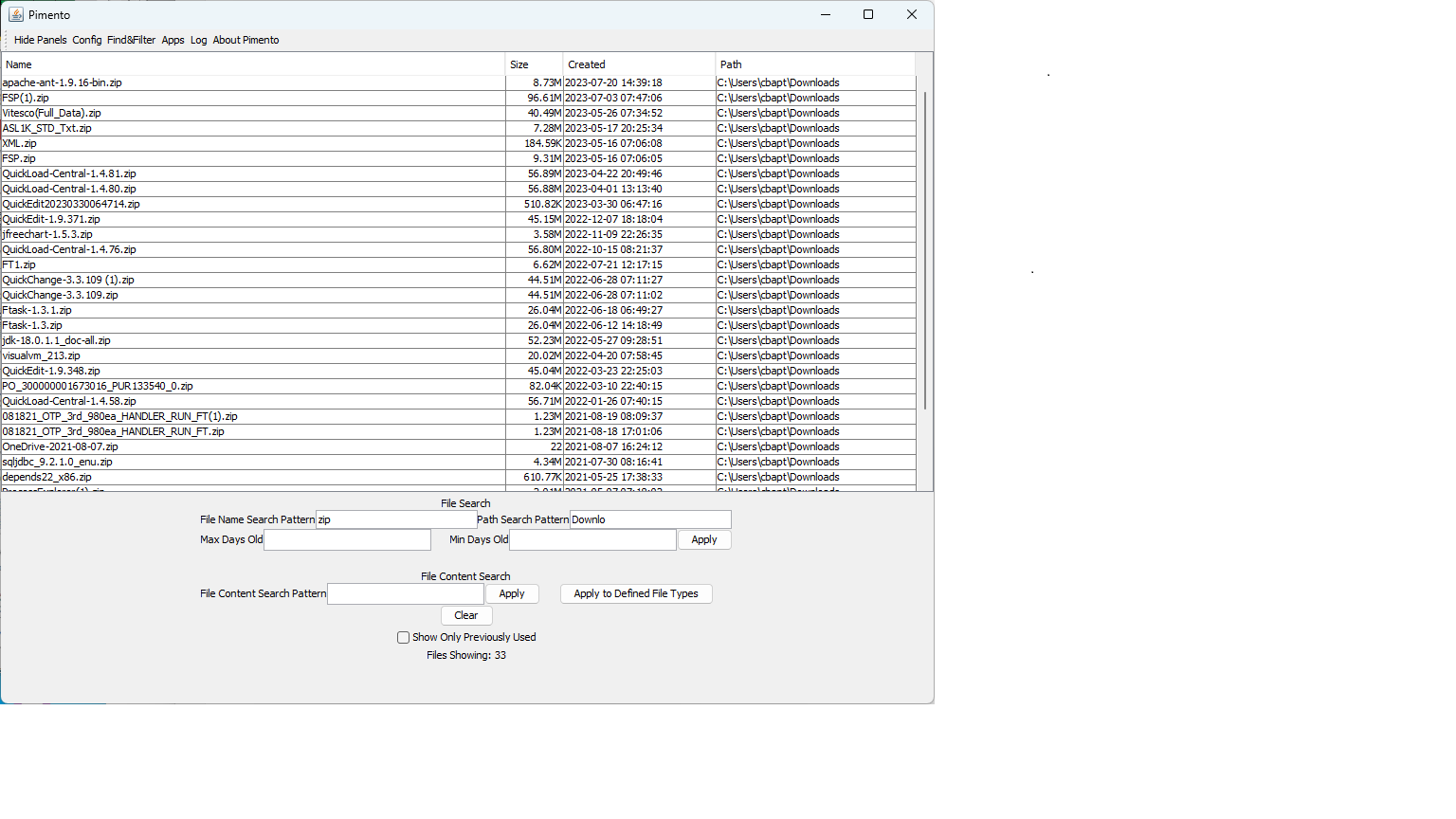
Do you want a file management tool that is a more powerful and easier to use alternative to Explorer and Finder? Do you need to find files anywhere on your computer by name, date, location or even file contents, instead of looking in each folder? Find them in seconds with Pimento.
- Find files by whole or partial name, with wild cards, even with regular expressions if you want
- Find files by whole or partial name of any folders or directories that contain them
- Find files older than a date, newer than a date or any date range
- Find files based on file content search, with simple search values, wildcards or even regular expressions
- Find files you have marked as favorites
- Find files you have used before
- Find files fast with all of your search criteria combined
Do common file tasks easily with Pimento
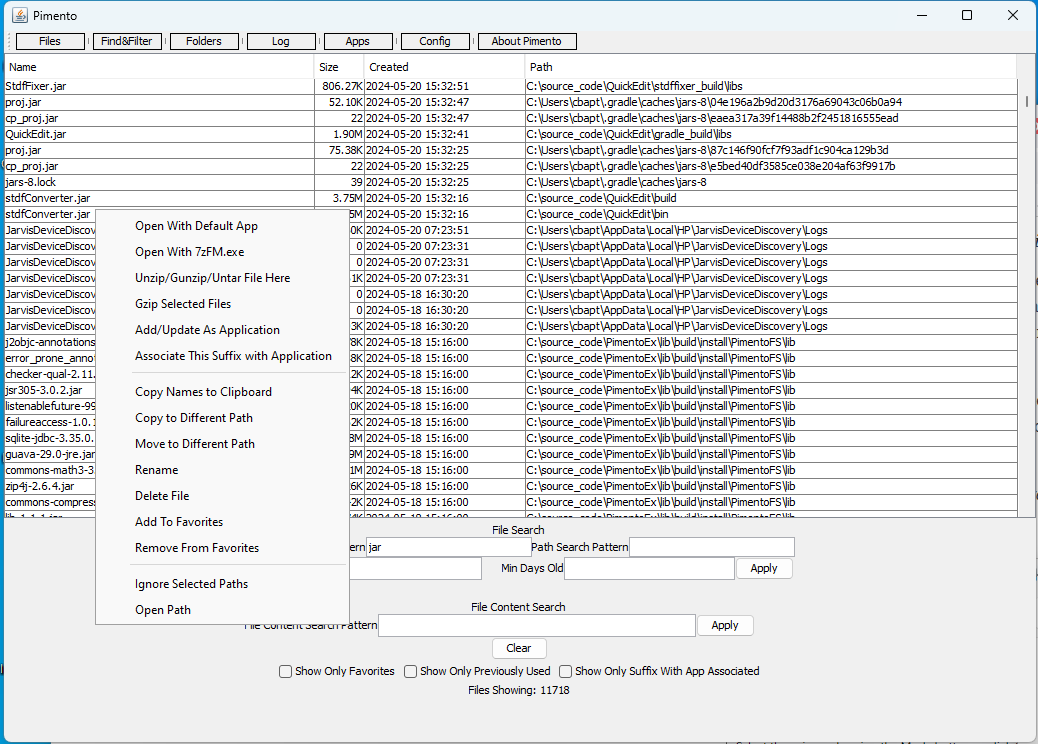
- Open files with the applications you have chosen using simple configuration tools
- Rename, move or copy files
- Unzip or untar files
- Open folders in Explorer, Finder and equivalent tools
- Delete files
Installing Pimento On Windows
- Download Pimento for Windows
- Run the downloaded installer
- Run Pimento from the Windows start menu
Installing Pimento On Mac or Linux
- Download Pimento for Linux.
- Extract the zip file in the desired location.
- For ease of use add the Pimento\bin (Pimento/bin for Linux & Mac) directory to your execution path
Licensing
Pimento will automatically use a 2-week temporary evaluation license when first run if no key is provided. We are currently offering early user perpetual license pricing of $12 per user. If you are ready to move forward with purchasing a license click the “Buy Now” button to pay with a credit card.
Have questions about Pimento? Please contact us.
with product questions or feedback, purchase requests or volume pricing questions.
Fill out my online form.